SwingDraw Get the app $14.99
Features

Every tool, in one purchase.

Capture, review, mark, compare, and share golf swing video on iPhone or iPad. Nothing is locked behind a subscription: all of this is included for $14.99.

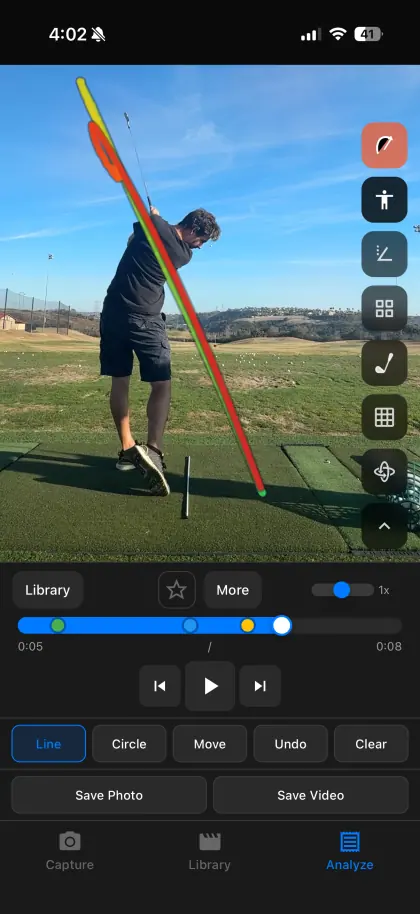
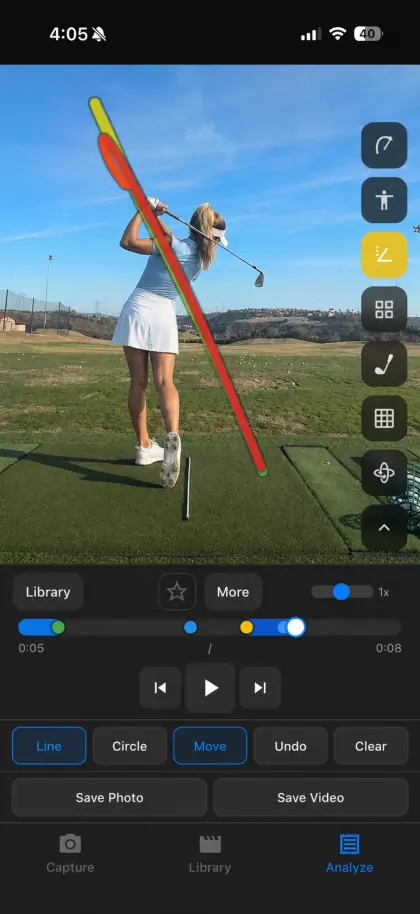
SwingDraw clubhead path trace drawn through a golf swing on iPhone
Swing path

Trace the clubhead through the whole swing.

Turn on club-path tracking and SwingDraw draws the clubhead’s route from takeaway to finish, colored by swing phase. Compare the backswing and downswing paths on one frame, or put two traces side by side.

The trace follows what the camera can see. Motion blur, a hidden clubhead, or poor light can leave gaps.

Check a clubhead trace
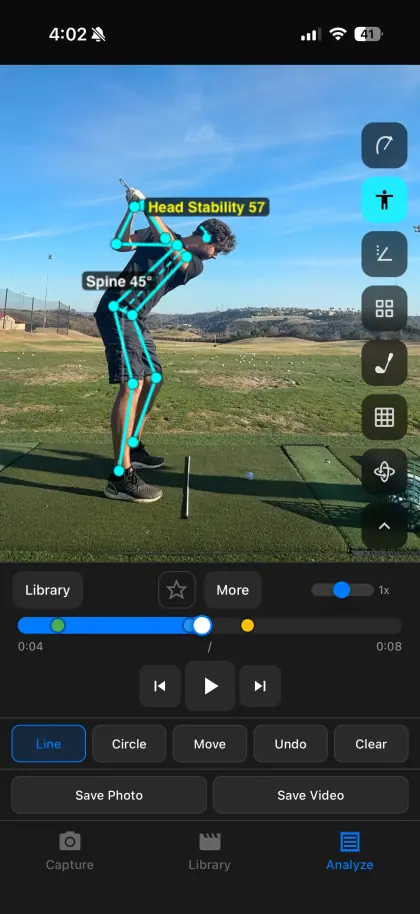
SwingDraw body tracking with Head Stability 57 and Spine 45° labels on a golf swing
Body & head tracking

See posture, spine angle, and head movement.

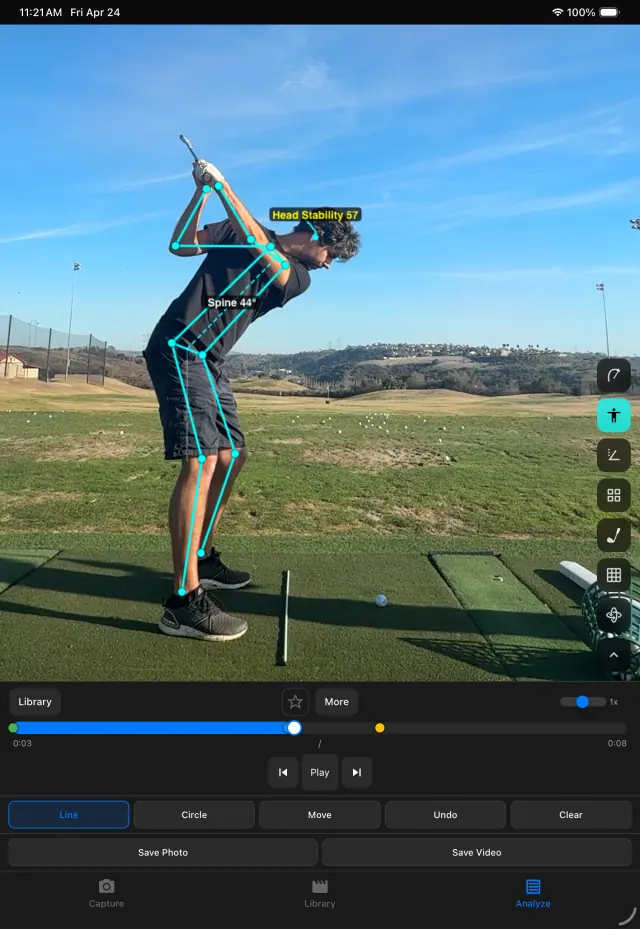
On-device body tracking overlays a skeleton on the golfer. Labels show the spine angle against vertical and a Head Stability score that summarizes how far the head travels from address to impact.

Measurements are 2D, in the camera image. A score is a visual aid, not a grade.

How the numbers are calculated
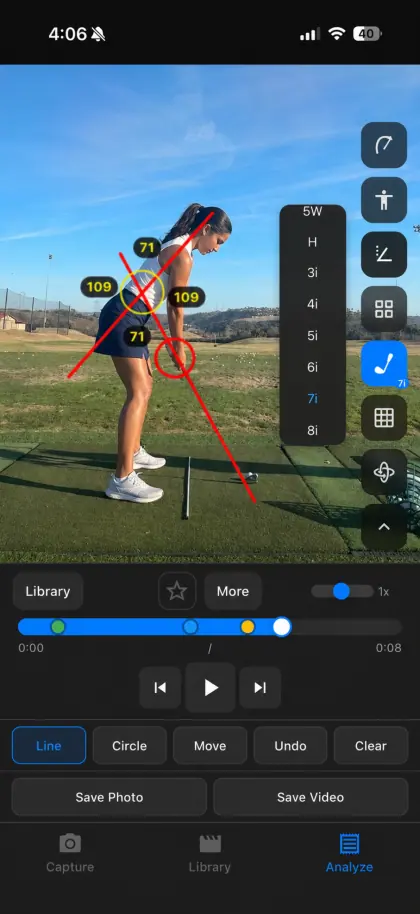
SwingDraw lines, circle, and angle measurements drawn over a golf swing
Drawing & angles

Draw the reference your coach would.

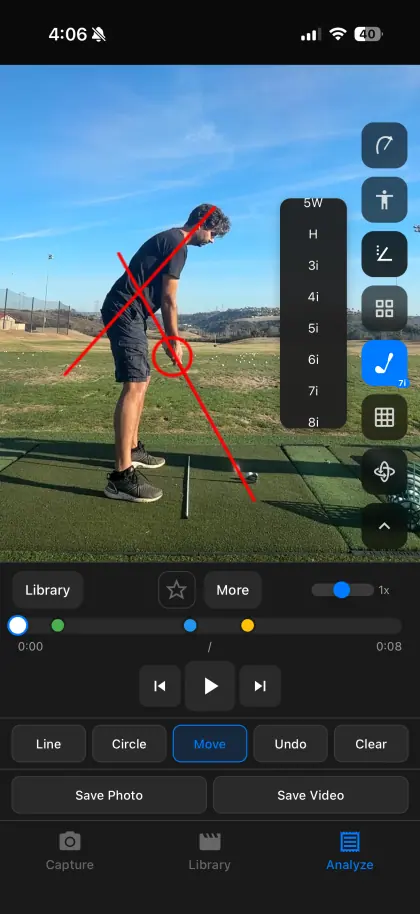
Add lines, circles, arrows, freehand marks, and alignment guides on any frame. Measure body, shaft, and position angles. Drag a mark after placing it and fine-tune it with edit handles.

Manual marks stay where you put them; they do not follow the golfer.

Drawing walkthrough
SwingDraw swing path trace over a golfer at the top of the backswing
Slow motion & frame stepping

Stop exactly at the top, transition, or impact.

Scrub the timeline, slow playback down, or step one frame at a time. Pan, zoom, and rotate the view to focus on the hands, the clubface, or the feet.

Frame-by-frame detail depends on the frame rate you recorded. 240 fps slow-motion capture shows more around impact.

Slow-motion guide
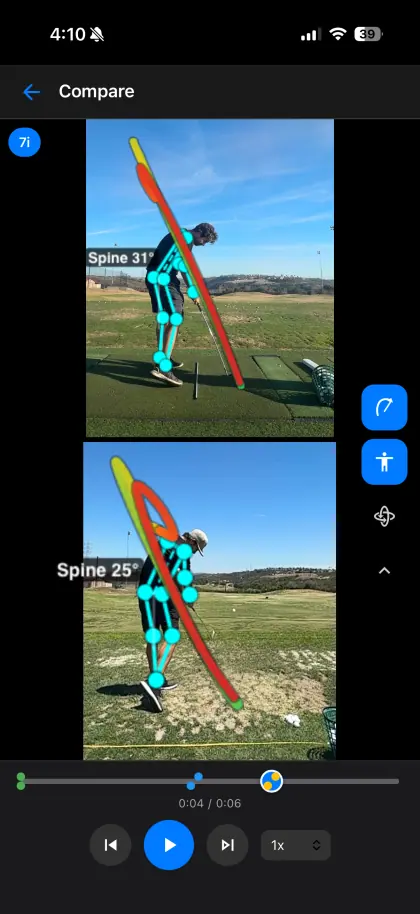
SwingDraw comparing two golf swings side by side on iPhone
Compare

Two swings. One timeline.

Open two saved swings side by side with shared playback that starts at detected address. Step both clips together to compare setup, the top, and impact from before and after a lesson.

Different tempos reach impact at different times. Check the phase, not only the timestamp.

Make a fair comparison
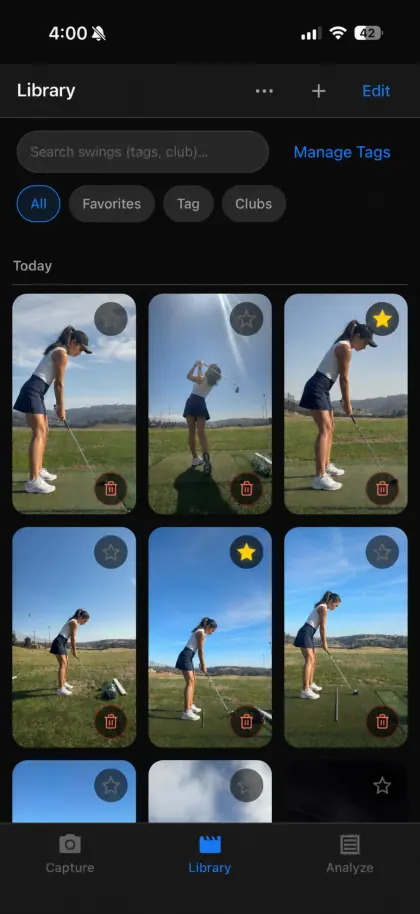
SwingDraw swing library with thumbnails, favorites, tags, and club filters
Library

A practice record, not a camera roll.

Every saved swing gets a thumbnail, date, and your annotations. Star favorites, add custom tags, filter by club, and bulk-import older videos to organize them in one place.

The library lives on this device. Back up your iPhone or iPad, and export clips you want to keep elsewhere.

Build a practice journal
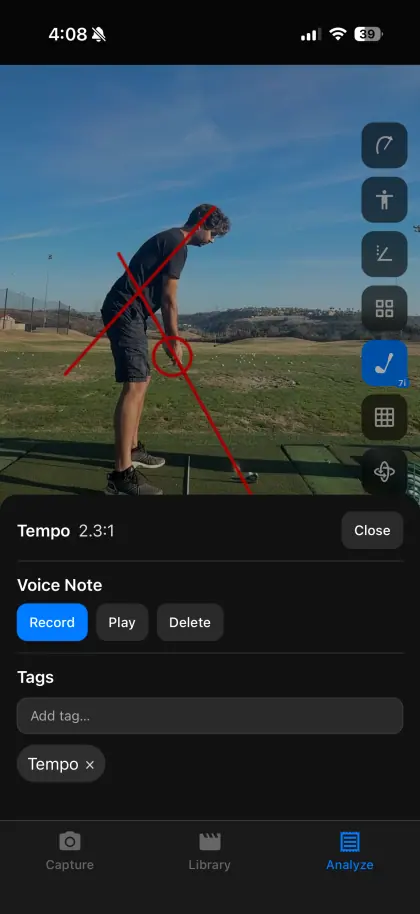
SwingDraw notes panel showing tempo ratio, voice note, and tags for a saved swing
Tempo & notes

Keep the feel with the video.

Record a voice note on the swing while the feel is fresh. When address, top, and impact are detected, SwingDraw shows a backswing-to-downswing tempo ratio such as 2.3:1.

Tempo depends on phase detection and frame rate; treat it as a comparison between your own swings.

About swing tempo
SwingDraw angle tool and club picker over a golfer at address
Record & export

From range session to coach’s inbox.

Record a range session in the app, let SwingDraw detect the swings, trim the action, and keep the ones that matter. Save a marked frame with Save Photo or the annotated clip with Save Video, then share it anywhere.

Exports go to Photos or the iOS share sheet. SwingDraw has no built-in messaging or cloud.

Send a swing to your coach
SwingDraw body tracking and head stability on iPad
iPad

Same app.
Bigger canvas.

SwingDraw is universal: buy once and use it on iPhone and iPad. On an iPad, overlays, drawings, and side-by-side comparisons have more room, which helps on the lesson tee.

  • iOS and iPadOS 17.6 or later
  • Family Sharing for up to six family members
  • No account, so nothing to sign in to on a shared iPad
SwingDraw for iPhone & iPad

Your next range session,
on the record.

Record or import a swing, mark the frame that matters, and compare it with last week. Every tool is included.

$14.99One time on the U.S. App Store. No subscription, in-app purchases, ads, or account. Family Sharing supported.Download on theApp Store