 SwingDraw
Useful comparison
Two 7-iron clips from the same tripod position, both paused at the top. Draw the same reference on each and note the drill you were trying.
A side-by-side view is only useful when the camera angle, club, swing phase, and question are close enough to compare. Here is the workflow SwingDraw is designed around.
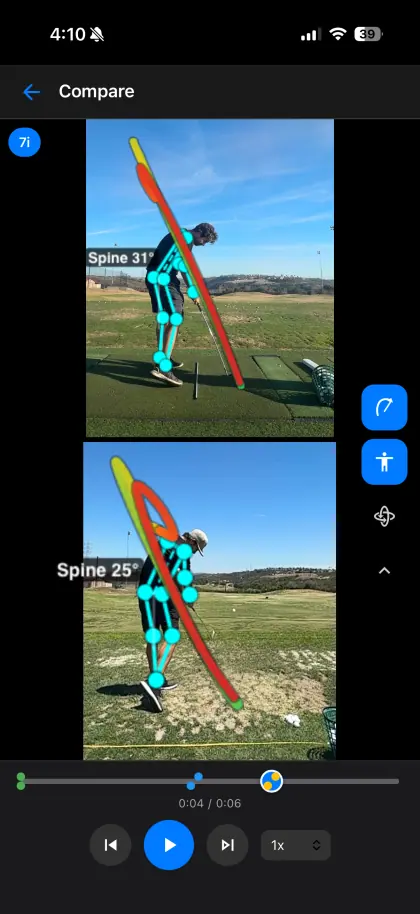
The shared timeline uses detected address as each clip’s starting reference, then advances both by the same elapsed time. It does not stretch two different tempos so every swing phase matches. If one swing reaches the top or impact sooner, that difference can remain visible. Do not assume that two frames displayed together show the same phase; inspect each checkpoint before comparing positions.
| Variable | Keep consistent | What goes wrong otherwise |
|---|---|---|
| Camera view | Down-the-line with down-the-line, or face-on with face-on | Perspective creates a false position change |
| Camera height and distance | Similar lens height, distance, and framing | Body and shaft lines appear to shift |
| Club | Compare the same club when possible | Setup and swing shape can differ naturally |
| Swing phase | Match setup, top, impact, or another exact checkpoint | Two different moments look like a technical change |
Two 7-iron clips from the same tripod position, both paused at the top. Draw the same reference on each and note the drill you were trying.
One clip is face-on and the other is down-the-line. The head appears farther from a line, but the viewpoint changed too. Record from the original position before judging progress.
A still frame can hide how the golfer arrived there. Step backward and forward around the checkpoint. SwingDraw includes frame controls, drawing tools, head-stability and swing-path views, plus notes and tags so a comparison can retain the context of the practice session.
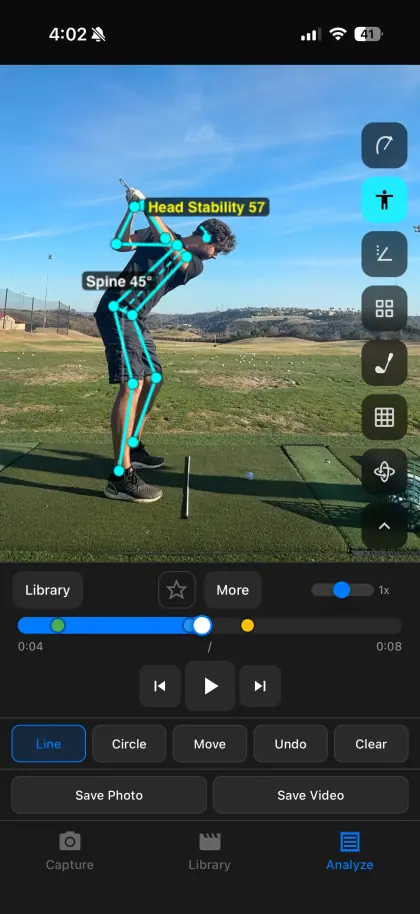
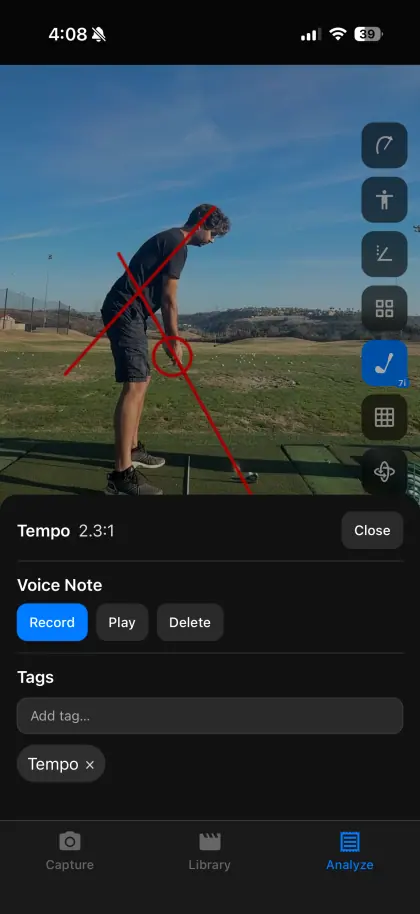
SwingDraw is built for golfers who want to own the review workflow on iPhone or iPad: record or import clips, mark frames, compare attempts, keep practice context, and export results. It costs $14.99 once in the U.S. App Store and has no subscription, ads, or in-app purchases.
It is not a coach marketplace, a remote-lesson platform, or an automated diagnosis. If you need instruction, use the comparison to ask a coach a precise question rather than treating any single line as a universal swing rule.
Record or import a swing, mark the frame that matters, and compare it with last week. Every tool is included.