SD SwingDraw Golf swing analyzer and practice journal.
Golf Swing Analyzer

SwingDraw

Record a range session, keep the swings that matter, draw right on the frame, and review head stability, swing path, tempo, notes, tags, and side-by-side comparisons without another monthly golf subscription.

One-time purchase No ads iPhone and iPad
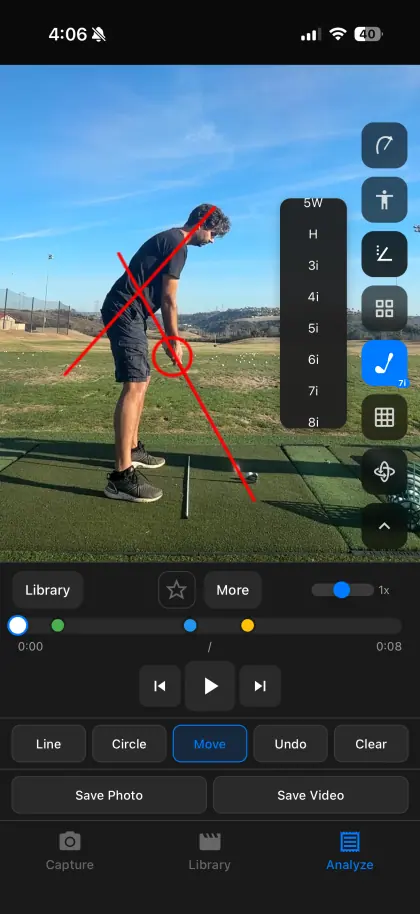
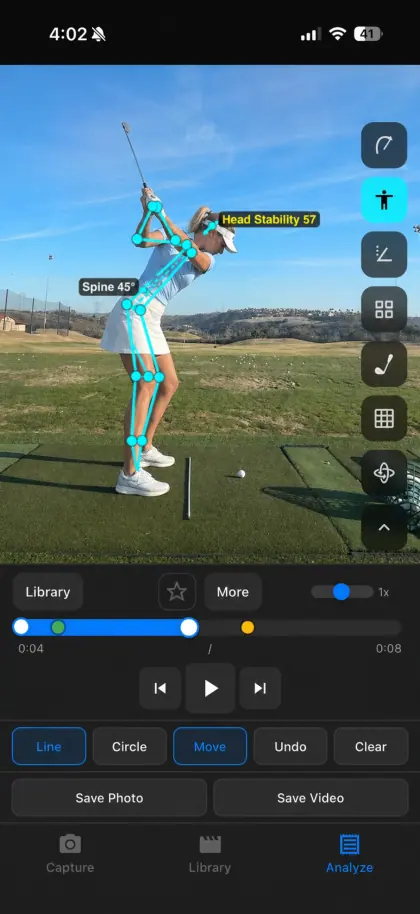
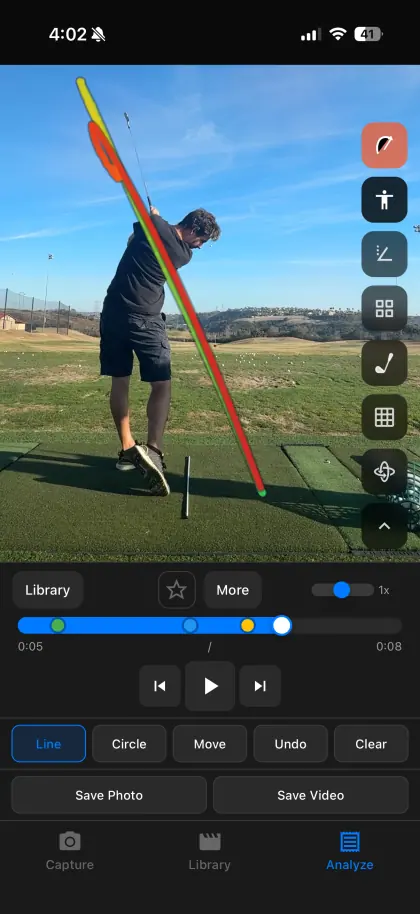
SwingDraw head stability tracking screenshot SwingDraw swing path tracking screenshot
New screenshots, current workflow

Built around what golfers actually review.

Head stability Swing path Tempo Voice notes Tags Comparisons

Clear tools over vague feedback.

Use real video, real checkpoints, and simple visual layers to see what changed from one swing to the next.

Track head stability in SwingDraw
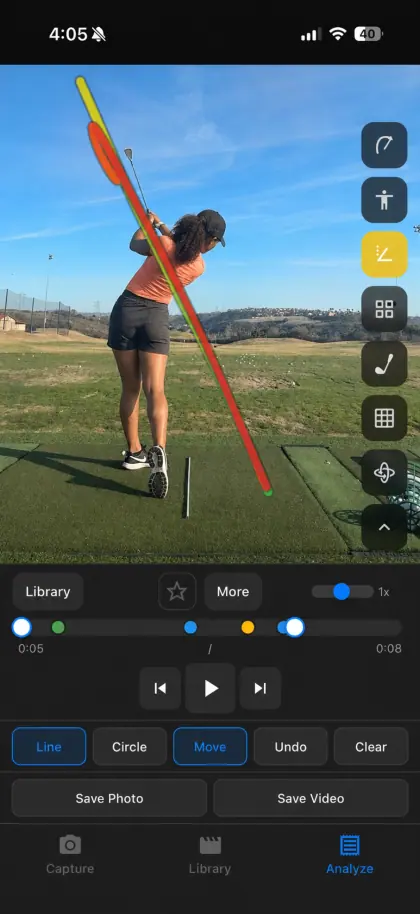
Track swing path in SwingDraw
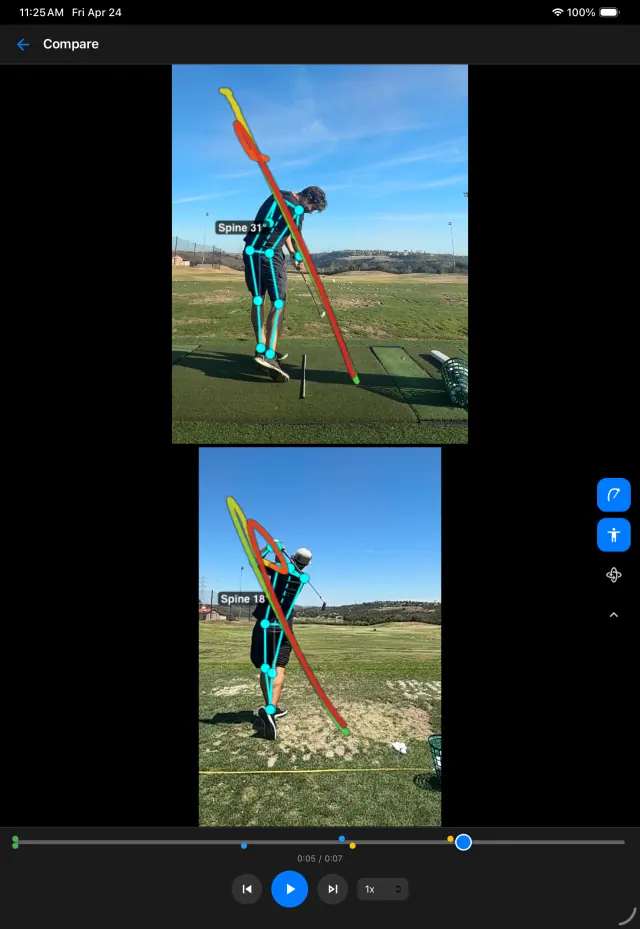
Compare two golf swings in SwingDraw
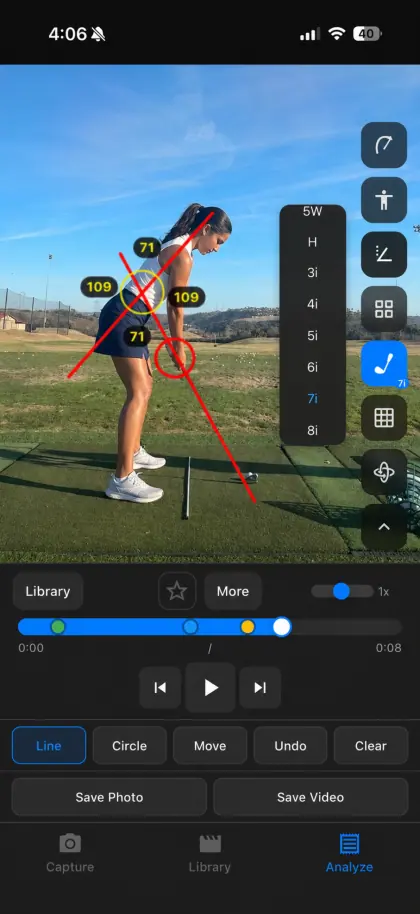
Move and measure annotations in SwingDraw
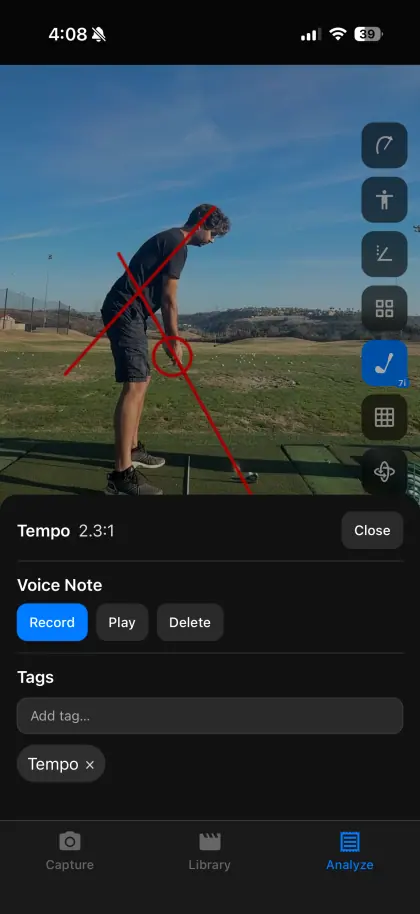
Tempo, voice notes, tags, and favorites in SwingDraw

Capture less clutter. Keep better clips.

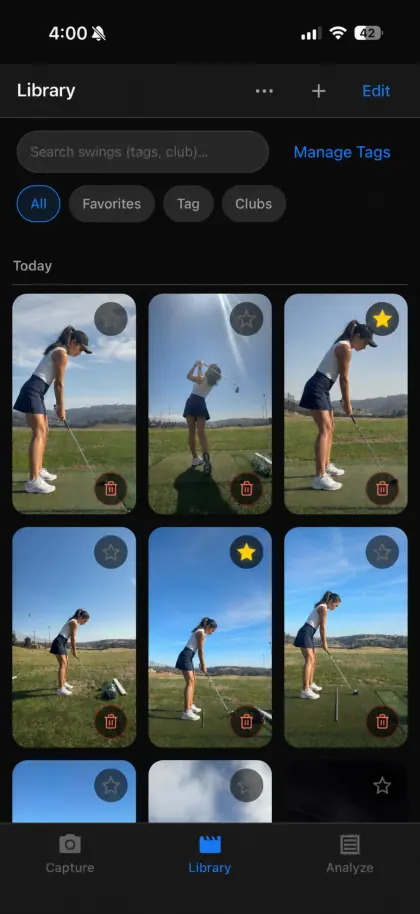
Film a session, review the clips, save the swings worth studying, and keep your library organized by club, tag, favorite, or note.

01

Record or import

Start a range session in the app or bring in a video from your camera roll when someone else filmed the swing.

02

Review clips

Trim and keep useful swings instead of filling the library with every second of a practice session.

03

Analyze the frame

Draw lines, circles, and movement guides, then layer in AI body tracking, head stability, and swing path tools.

Every swing can carry context.

Save a tempo note, record a quick voice thought, tag the club or drill, favorite the best reps, and come back later with more than a camera roll full of mystery clips.

SwingDraw on iPad with head stability tracking SwingDraw on iPad comparing swings
One purchase. Full workflow.

Analyze the next bucket with better evidence.

SwingDraw is for golfers who want quick visual review, a useful practice journal, and no recurring bill or complicated lesson platform.