 SwingDraw
How to record a golf swing with an iPhone camera.
Good analysis starts before you press record. A stable, repeatable camera position matters more than adding another line after the angle has changed.
Best iPhone placement in one sentence
Stabilize the rear camera near the golfer's hand height at address, move far enough away to keep the entire body and club in frame, and record every comparison from the same marked position.
Quick setup
- Use the rear camera. It generally gives the best image quality. Clean the lens before recording.
- Stabilize the phone. Use a tripod, bag mount, or secure support. Do not ask someone to follow the club with a handheld phone.
- Place the lens near hand height at address. That gives a useful starting perspective for common down-the-line and face-on reviews.
- Move far enough back to keep the whole club visible. Leave room above the hands at the top and around the finish.
- Record the same view again. Mark the tripod and hitting positions if you plan to compare sessions.
Down-the-line camera position
Use down-the-line when the question involves shaft plane, hand path, takeaway direction, posture, or how movement looks relative to the target line. Keep the phone on a consistent line behind the golfer rather than moving it casually between the feet and the ball.
There is no single camera line that makes every coaching method agree. If a coach gave you a specific setup, repeat that setup. The important point for self-comparison is that today and next week use the same perspective.
Face-on camera position
Use face-on when the question involves lateral movement, width, ball position, head movement, or the relationship between the golfer and the target. Keep the lens perpendicular to the golfer and avoid standing far toward the target or behind the trail side.
Frame rate, slow motion, and light
- Prefer good light over extreme slow motion. Higher frame rates need more light. A dark, noisy clip can be harder to inspect than a clear standard-speed clip.
- Avoid digital zoom. Move the tripod when practical and keep the entire swing visible.
- Keep the phone level. A tilted horizon makes body and shaft references harder to compare.
- Record a short test first. Confirm that the clubhead stays in frame at the top and finish.
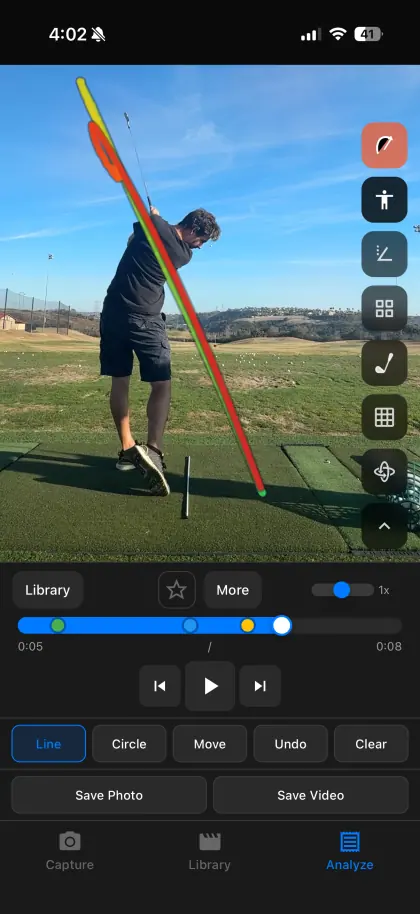
Make the next session comparable
Save a note with the club, view, drill, and tripod position. On the next session, repeat the physical setup before comparing clips. Camera consistency will not make a swing better, but it keeps the video from inventing a difference that was not there.
Your next range session,
on the record.
Record or import a swing, mark the frame that matters, and compare it with last week. Every tool is included.