 SwingDraw
Draw a shaft-plane reference you can compare.
A plane line is a visual reference on your video. In SwingDraw, draw it on a clear frame, keep the camera setup consistent, and compare the same checkpoint on another swing.
Pick the reference before drawing
For a shaft reference, use a frame where you can see the shaft and grip clearly. Start with a down-the-line clip, keep the phone level, and choose the checkpoint you are working on. If your instructor specified a camera position or reference, use that consistently.
Draw and adjust the line
- Open the swing from Library. Pause on your chosen frame and use the frame arrows to refine the moment.
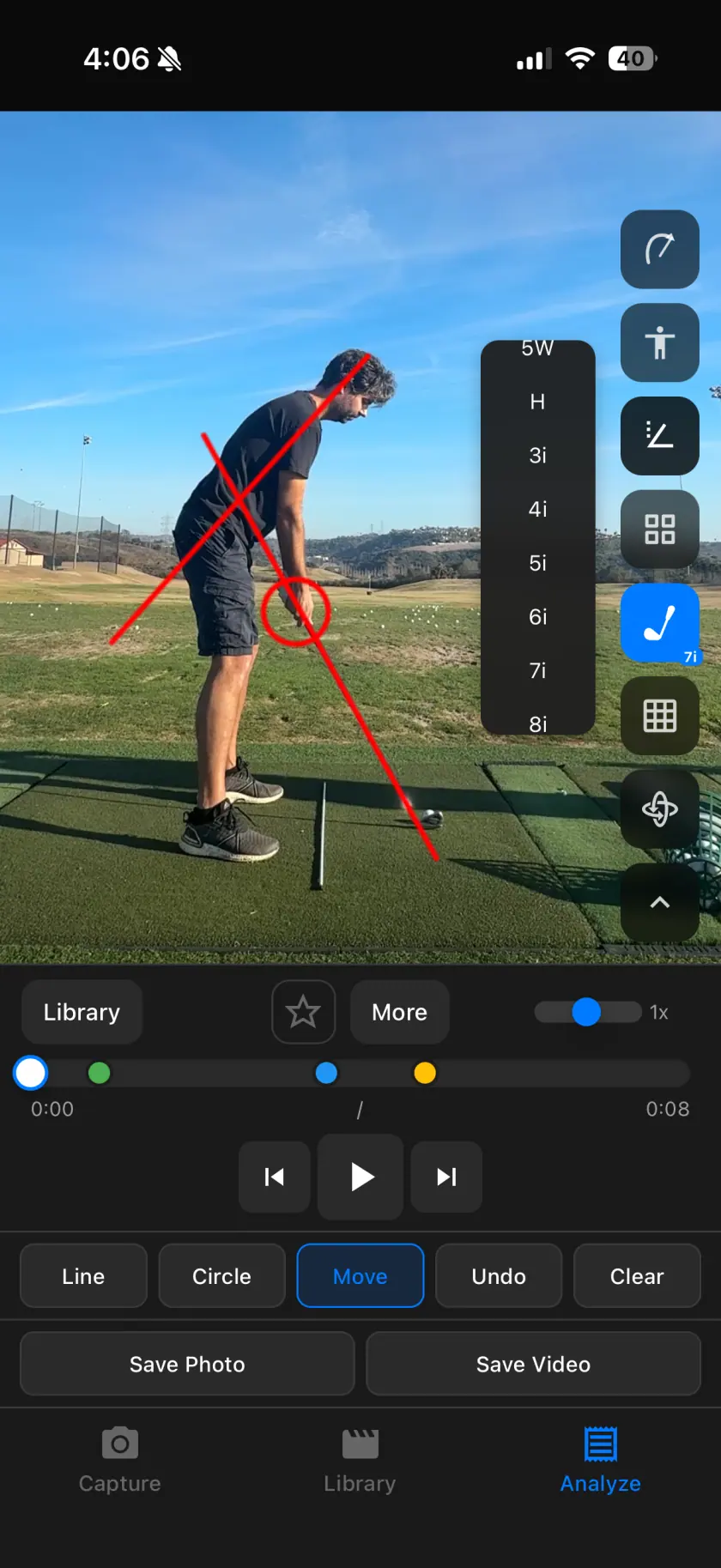
- Choose Line. Place the reference along the visible shaft or the specific alignment you want to study.
- Fine-tune the endpoints. Move the annotation if it does not sit on the intended reference. Avoid drawing extra lines that obscure the club.
- Review nearby frames. Treat the line as a reference, not a rule that the shaft must follow throughout the whole swing.
- Save the checkpoint. Export a marked image and record the camera view, club, and question.
Keep these conditions the same
- Camera view, lens height, and distance from the golfer.
- Phone orientation and framing.
- Club and the swing phase being compared.
- The reference used for both lines.
If one recording was made near ground level and another near hand height, an apparent change in shaft angle may come from perspective. Repeat the recording setup before interpreting it as a swing change.
Use the right tool for the question
Drawing tools provide a fixed reference. Clubhead Path shows a movement overlay across frames. Comparison helps inspect the same moment in two clips. They complement each other, but none turns a single camera view into a calibrated 3D measurement.
Before sending the frame to a coach
Keep one useful line and state the question: for example, “These are both the top of my 7-iron swing from the same camera position. What should I look at next?” Follow the sharing guide to include the original clip and context.
Your next range session,
on the record.
Record or import a swing, mark the frame that matters, and compare it with last week. Every tool is included.