SwingDraw
Your first review, in six steps.
SwingDraw helps you inspect your own golf video with frame stepping, drawing, overlays, and clip comparison. Here is the workflow that makes the first session useful.
1. Record or import one swing
Set your phone on a tripod near hand height, down-the-line or face-on, with the whole golfer and club in frame. Record a range session in SwingDraw, or import a clip from Photos.
2. Ask one question
Pick one thing to check, like head movement, the club at the top, or posture at impact. One question keeps the review useful.
3. Find the frame
Pause, then use the frame arrows to reach the checkpoint. Pinch to zoom on the hands or clubhead.
Slow motion and frame stepping
4. Add one reference
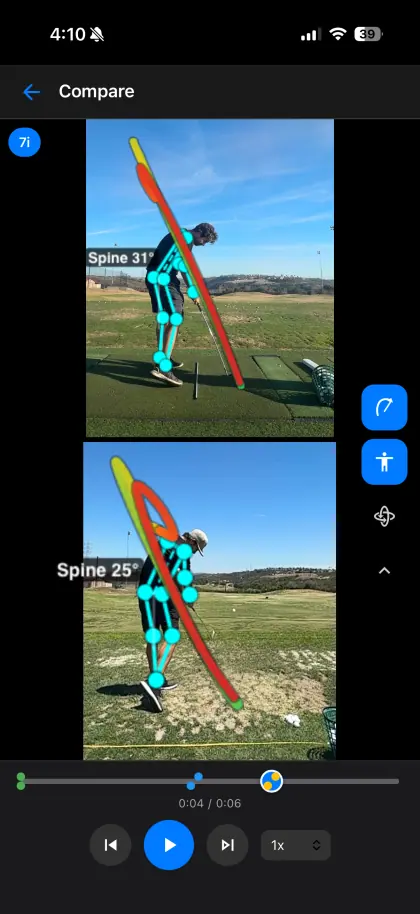
Select Line and drag a shaft-plane or posture reference at address. Or turn on swing path or body tracking and check the overlay against the real video.
5. Compare with an earlier swing
Press and hold a saved swing in Library and choose Compare. Pick a clip filmed from the same angle, then step both through the same phase.
6. Save the context
Tag the club, star the good ones, and record a voice note with the feel. Save Photo or Save Video when you want to share it.