Use fresh range swings or older videos.
Capture swings inside the app or pull them in from your library. That makes SwingDraw useful on the range, in a lesson, or after a round when you want to review what actually happened.
Record or import golf swing videos, draw directly on any frame, and use on-device AI body tracking to spot exactly what is off. SwingDraw is built for golfers who want a serious tool without subscriptions, upsells, or in-app purchase traps.
Capture swings inside the app or pull them in from your library. That makes SwingDraw useful on the range, in a lesson, or after a round when you want to review what actually happened.
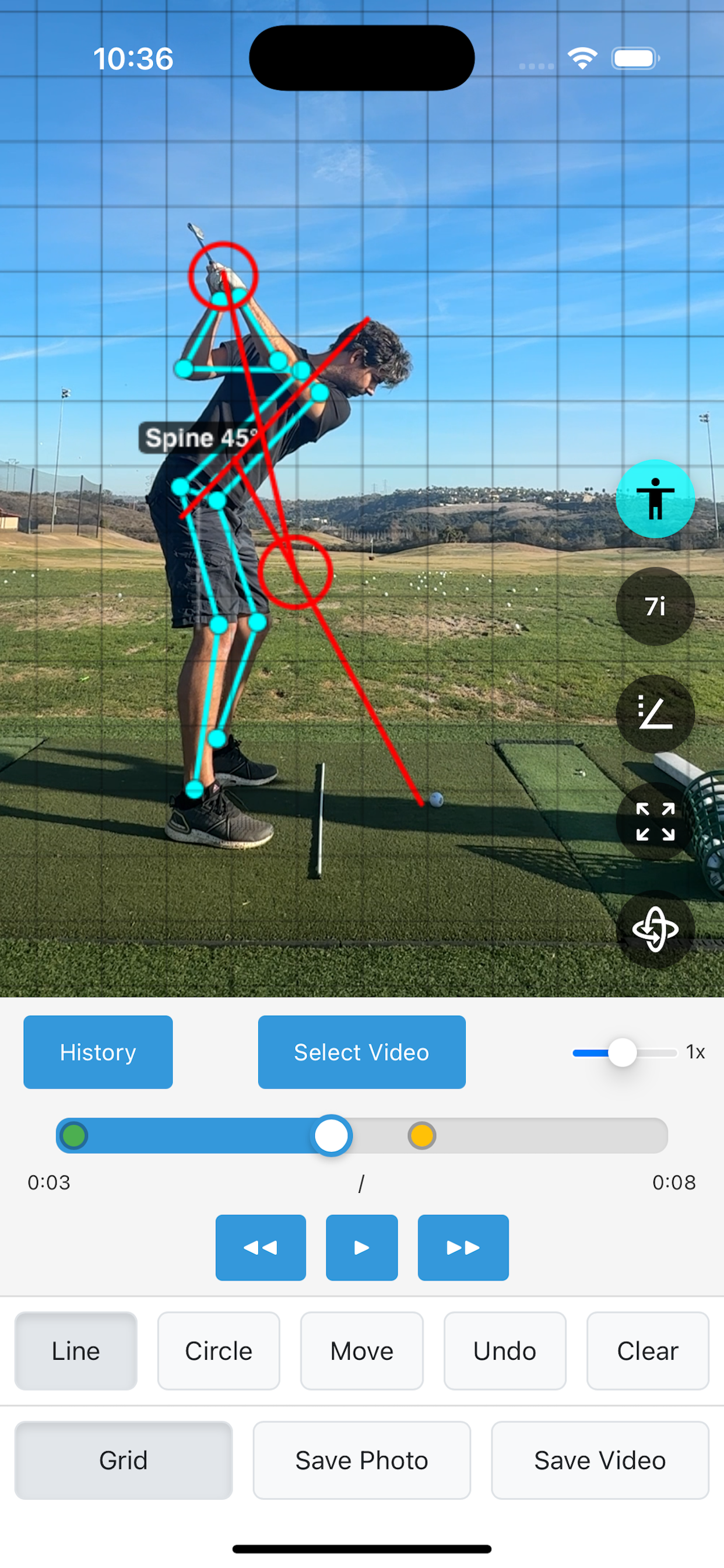
Use lines, circles, arrows, and movable annotations to call out club path, setup lines, posture checkpoints, and whatever your coach keeps mentioning.
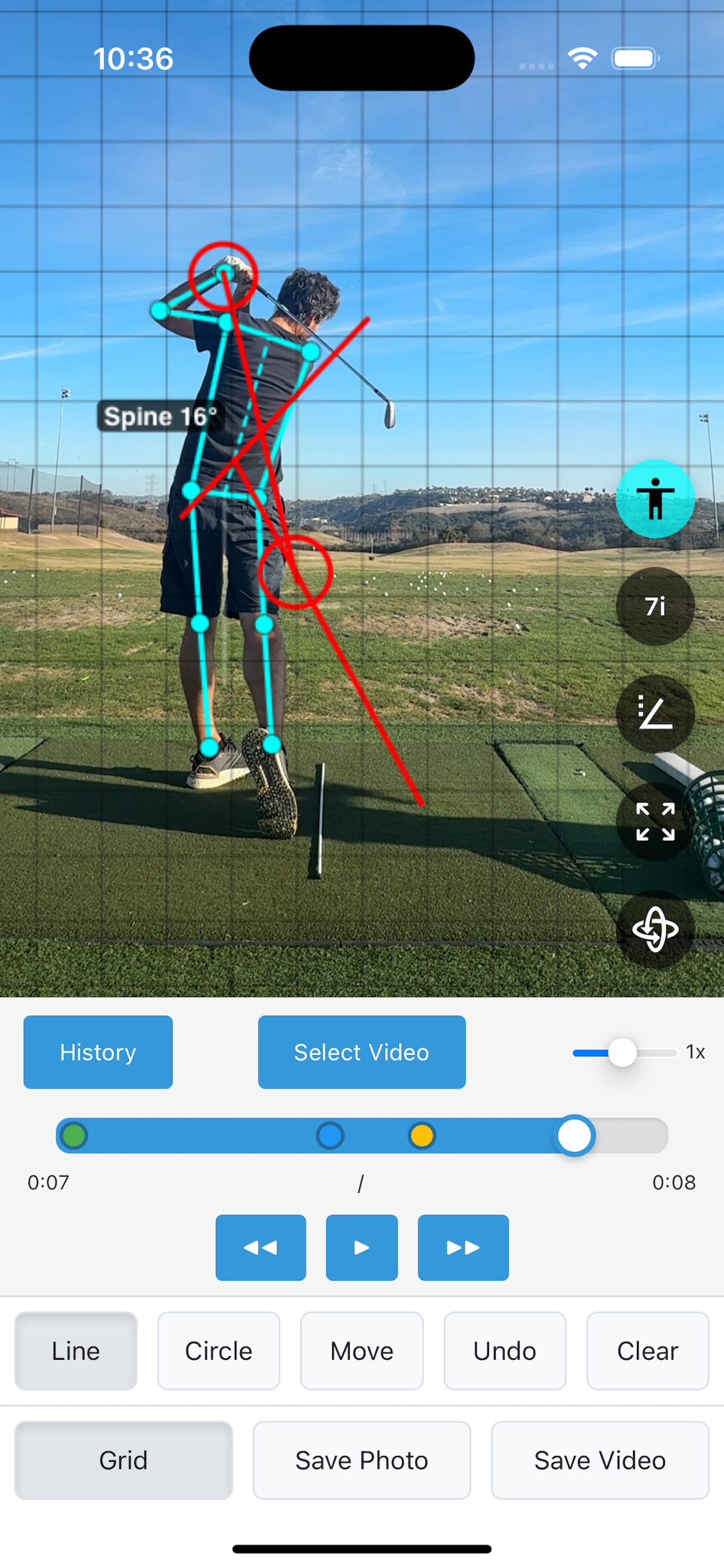
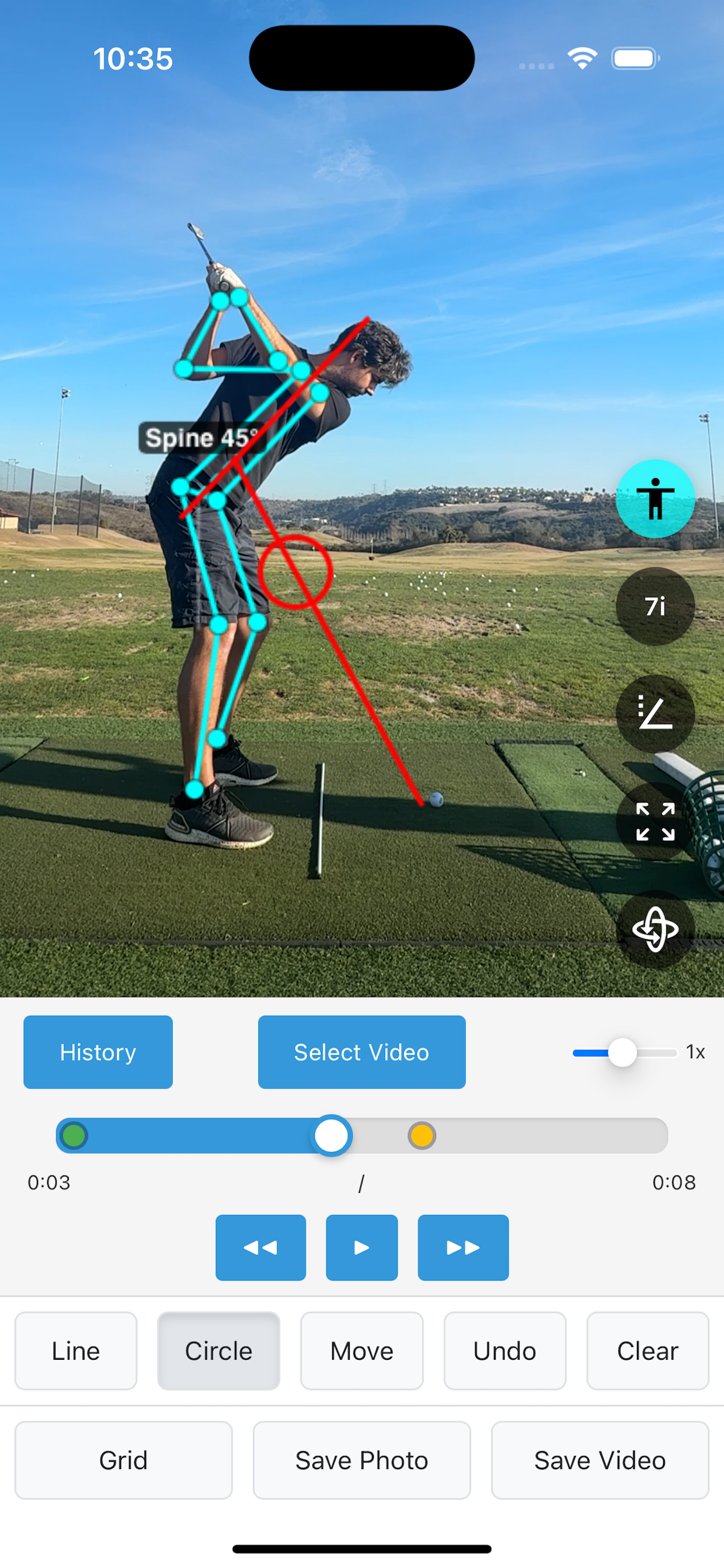
SwingDraw adds AI skeleton tracking and head movement tools so you can see posture, sway, and sequencing with more than guesswork.
Your swing library stays organized, so practice is not just one more video lost inside your camera roll.
This is the core search problem to solve: people are not just looking for “an app.” They are searching for specific analysis jobs like drawing on video, checking angles, importing clips, comparing swings, or finding an app that does not nickel-and-dime them every month.
Slow playback and precise frame stepping make it easier to catch what happens at takeaway, the top, impact, and release.
See body joints and posture phases on top of the video so you can spot alignment issues faster.
Check spine angle, shoulder tilt, shaft plane, and other positions that matter when you are trying to turn feel into something measurable.
Watch for sway, dip, and drift through the swing instead of guessing from a blurry replay.
Save swings by club, favorites, and tags so progress review is organized instead of chaotic.
Send annotated frames or clips to a coach, a friend, or your own notes without losing the visual context.
Most golf apps either lock real features behind a subscription or turn every useful workflow into an upsell. SwingDraw takes the opposite route: one purchase, full toolset, no recurring charge, no in-app purchases, and no ads.
Screenshots matter for search and AI summaries because they reinforce exactly which workflows the product supports.
These pages are designed to catch the kinds of searches people make before they know SwingDraw exists.
Why one-time-purchase software matters for serious practice, and why “no in-app purchases” is not just a pricing footnote.
Read articleA practical walkthrough for golfers searching for a way to review mechanics, annotate key frames, and share clips with a coach.
Read articleSwingDraw is a golf swing analysis app for iPhone and iPad. You can record or import swing video, draw on individual frames, use AI body tracking, measure angles, and export annotated clips.
No. SwingDraw is built around a one-time purchase model. No monthly fees, no in-app purchases, and no ads.
Yes. You can work with existing swing videos from your photo library or record new swings directly inside the app.
Golfers, coaches, juniors, and range regulars who want a lightweight, visual way to check mechanics without paying for another recurring tool.
If your search is really “best golf swing analysis app without a subscription,” that is exactly the lane SwingDraw should own.